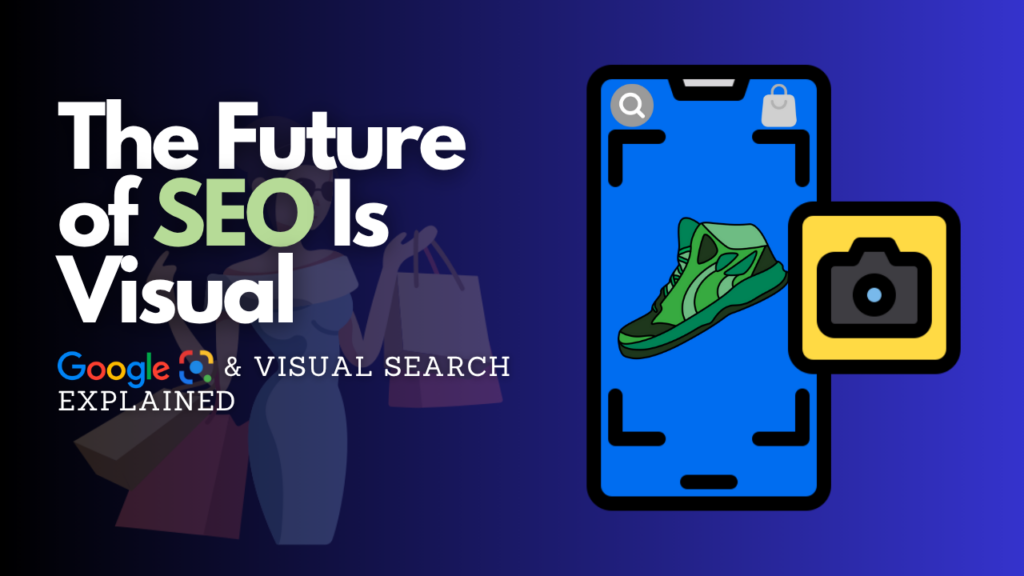
Stop for a second and think about how you search for things. A few years ago, if you saw a cool pair of sneakers at a café, you’d probably open Google and type something vague like “blue retro sneakers with white stripes.” You’d scroll through dozens of pages, hoping for a match.
Fast forward to 2026, and that behavior feels like using a rotary phone. Today, you just pull out your phone, point your camera, and Google Lens does the rest. Within two seconds, you know the brand, the price, and exactly which store has them in stock.
This is the era of Visual Search SEO. If your website isn’t optimized for “eyes” as much as it is for “keywords,” you’re essentially invisible to a huge chunk of modern shoppers. In this guide, we’re going to break down how Google Lens works and the exact strategies you need to double your visibility in the visual search world this year.
What Exactly is Visual Search SEO?
Visual search is an AI-powered technology that allows users to search using an image instead of text. While traditional SEO focuses on the words people type, Visual Search SEO focuses on the pixels the camera sees.
Google Lens is the undisputed leader here. It uses a combination of computer vision and deep machine learning to identify objects, landmarks, text, and even plants or animals within a photo. For a business, this means your product images are now your “keywords.”
How Google Lens “Reads” Your Website
When a user snaps a photo, Google doesn’t just guess what it is. It looks for specific markers to categorize the image:
Object Recognition: Identifying the core item (e.g., a “mid-century modern chair”).
Visual Metadata: Reading the hidden clues you provide (alt text, file names).
Contextual Surroundings: Looking at the text near the image on your webpage to confirm its identity.
Brand Markers: Spotting logos or unique patterns that distinguish your product from a generic version.
Why Visual Search is a Game-Changer in 2026
If you’re wondering if this is worth the effort, let the data speak for itself. By 2026, visual search has become a primary discovery tool for Gen Z and Millennials, with over 60% of young consumers preferring visual discovery over any other form of search.
The Benefits for Your Brand:
Higher Purchase Intent: People who search with an image aren’t just “browsing”—they are looking for a specific item to buy.
Faster Path to Conversion: It cuts out the “search and scroll” phase, taking users directly from inspiration to your product page.
Competitive Edge: Many of your competitors are still stuck on text-based SEO. Optimizing for Lens now gives you a massive head start.
7 Smart Strategies to Optimize for Google Lens
Ready to get your site “Lens-ready”? Here are the seven pillars of Visual Search SEO for 2026.
1. Prioritize “Crystal Clear” High-Resolution Images
Google Lens struggles with blurry, dark, or cluttered photos. If the AI can’t distinguish the product from the background, it won’t show your site in the results.
The Fix: Use high-definition images (at least 1200px wide). Ensure the lighting is bright and the background is clean or minimally distracting. Provide multiple angles—front, side, and back—so the AI has a “3D” understanding of your item.
2. Master the “Secret Language” of Alt Text and Filenames
Many people leave their image filenames as IMG_5678.jpg. This is a huge missed opportunity!
The Fix: Rename your files to be descriptive. Instead of image1.jpg, use vintage-leather-messenger-bag-brown.jpg.
Alt Text: Don’t just stuff it with keywords. Write a natural description of what is literally in the photo. Think: “A man wearing a brown vintage leather messenger bag over a grey tweed coat.”
3. Implement Product Schema Markup
Structured Data (Schema) is like giving Google a cheat sheet for your image. It tells the search engine exactly what the price, availability, and brand are.
The Fix: Use JSON-LD Product Schema. When you do this, Google Lens can display a “Product” badge over your image in search results, showing real-time price and “In Stock” labels. This significantly boosts click-through rates.
4. Focus on Mobile Performance and Speed
Most visual searches happen on mobile devices while people are on the go. If your high-res images take 10 seconds to load, the user (and Google) will move on.
The Fix: Use modern image formats like WebP or AVIF, which offer high quality at a fraction of the file size of a JPEG. Implement “lazy loading” so the most important images appear first.
5. Put Your Products “In Context”
While “studio shots” with white backgrounds are great for identification, Google Lens also loves “lifestyle” images.
The Fix: Show your product in use. If you sell lamps, show one on a bedside table. This provides “contextual clues” that help Google understand the scale and use-case of the item, making it more likely to appear in related searches.
6. Optimize Your Google Business Profile (for Local SEO)
For physical stores, Google Lens is a local discovery engine. People often snap photos of storefronts or menus to get info.
The Fix: Regularly upload high-quality photos of your storefront, your interior, and your signature products to your Google Business Profile. When someone “Lenses” your shop across the street, you want your most beautiful photos to pop up.
7. Leverage User-Generated Content (UGC)
In 2026, authenticity is everything. Google Lens also indexes photos from social media and customer reviews.
The Fix: Encourage your customers to post photos of your products on your site or social media. These “real-world” photos are often the most effective at matching a user’s candid snap.
The Challenges: Navigating the Visual Web
Visual Search SEO isn’t without its hurdles:
Copyright and Originality: Google rewards original photography. Using overused stock photos will hurt your chances of ranking.
Dynamic Content: If your images are hidden behind complex JavaScript or non-standard HTML tags, Google’s crawlers might miss them entirely. Always use standard <img> tags.
AI “Hallucinations”: Sometimes AI misidentifies objects. Ensuring your text context (the copy around the image) is clear helps anchor the AI in reality.
Future Trends: What’s Next for Visual Search?
The future of visual search is Multimodal. This means users will soon be able to take a photo and add a voice or text command. Imagine snapping a photo of a dress and saying, “Find this in red and under $50.”
We are also seeing a massive move toward AR (Augmented Reality) Integration. Soon, Google Lens won’t just find the product; it will let you “place” it in your living room or “try it on” virtually before you even click the “Buy” button.
Conclusion: Don’t Let Your Website Go “Blind”
The shift toward visual search is one of the most significant changes in SEO history. It’s moving search away from a digital task and making it a part of our physical environment.
By optimizing your images today—focusing on clarity, descriptive metadata, and structured data—you aren’t just improving your SEO; you’re creating a better, faster, and more intuitive experience for your customers.
The world is looking at your brand. Make sure Google Lens gives them the best possible view!
No Responses