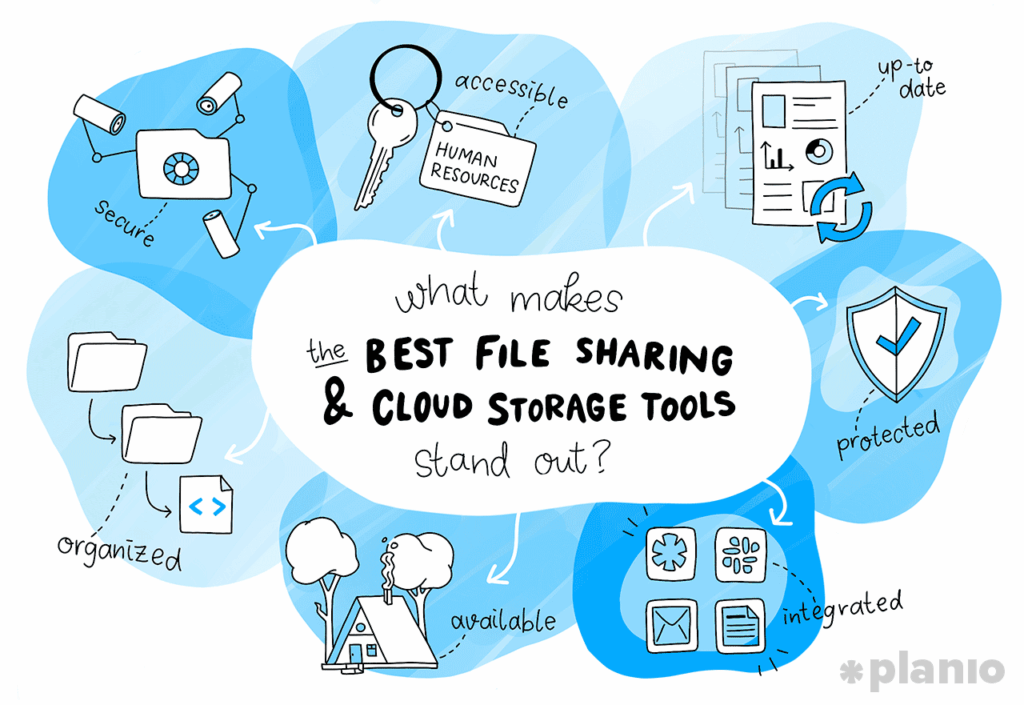
Remember the days of carrying around a physical USB drive like it was a sacred relic? You’d pray it didn’t get corrupted, or worse, left in a coffee shop. Fast forward to 2026, and that world feels like a black-and-white movie. Today, the way we share files has become the “digital handshake” of the modern workplace—it’s fast, invisible, and essential for getting anything done.
Whether you’re a student sending a massive design project, a freelancer delivering a video edit, or a CEO managing an international team, your file sharing app is your most important productivity partner. But in a world overflowing with options, which one actually deserves a spot on your home screen?
In this guide, we’re exploring the absolute best file sharing apps for 2026, how they work under the hood, and how to stay secure in an increasingly connected world. Let’s get sharing!
What is a File Sharing App and Why Does it Matter?
At its simplest, a file sharing app is a platform that allows you to move digital data from one device to another via the internet or a local network. But in 2026, “moving data” is just the tip of the iceberg.
Modern file sharing is about real-time synchronization. When you save a document on your laptop, it’s instantly available on your phone. When a teammate in London makes an edit, you see it in Tokyo a second later. These apps have become the central nervous system for remote and hybrid work, breaking down the barriers of geography and file size limits.
How the Tech Works: From Clouds to Peers
Behind every “Transfer Successful” notification is a sophisticated dance of technology. There are two main ways these apps handle your data:
Cloud-Based Sharing (Client-Server): Most apps we love (like Google Drive) use this. You upload your file to a massive central server (the “Cloud”). The recipient then downloads a copy from that server. It’s reliable and allows for easy backups.
Peer-to-Peer (P2P): Apps like Xender or BitTorrent bypass the central server. They connect two devices directly, allowing data to flow from one to the other. This is often much faster for local transfers and doesn’t require “storing” the file online.
The Best File Sharing Apps of 2026: The Top 5
The competition is fierce, but these five platforms have carved out a niche by offering the best balance of speed, security, and “cool” features.
1. Google Drive (The All-In-One Workspace)
Google Drive isn’t just a place to store files; it’s where work happens. In 2026, its AI-powered search is so advanced it can find a document based on a vague description of an image inside the file.
The Best Part: Seamless integration. If you use Gmail, Docs, or Sheets, Drive is already part of your life. Its “Shared Drives” feature is perfect for keeping team projects organized.
Best for: Students, small businesses, and anyone deep in the Google ecosystem.
Link: Check out Google Drive here
2. Dropbox (The Sync Master)
Dropbox has one job: to make sure your files are everywhere you are. They are widely considered to have the most reliable “Sync Engine” in the world.
The Best Part: Smart Sync. It allows you to see all your files on your computer without them taking up a single megabyte of hard drive space. They only download when you click them.
Best for: Creative professionals (photographers, videographers) who deal with massive files.
3. WeTransfer (The “No-Hassle” King)
Sometimes you don’t want a “system”—you just want to send a big file and move on with your day. WeTransfer is the undisputed champion of the “one-off” transfer.
The Best Part: You don’t even need an account. Just drag, drop, and send. In 2026, their “Portals” feature allows creatives to get client feedback directly on the files they send.
Best for: Freelancers sending work to clients quickly.
4. Microsoft OneDrive (The Enterprise Standard)
If your world revolves around Word, Excel, and Teams, OneDrive is your natural home. It’s built into every Windows PC, making it the most “invisible” app on this list.
The Best Part: Personal Vault. It’s a protected area within your cloud that requires an extra layer of identity verification (like your fingerprint or a PIN), perfect for sensitive documents like passports or contracts.
Best for: Corporate employees and those using Microsoft 365.
5. pCloud (The Privacy Fortress)
For those who are wary of big tech, pCloud is the “Switzerland” of file sharing. Based in Switzerland, they follow some of the strictest privacy laws in the world.
The Best Part: Lifetime Plans. Unlike other apps that charge you every month forever, pCloud allows you to pay a one-time fee for a lifetime of storage. It also offers client-side encryption, meaning even they can’t see your files.
Best for: Privacy enthusiasts and budget-conscious long-term users.
The Benefits: Why You’ll Never Go Back to USBs
Access Anywhere: Whether you’re on a beach or in a boardroom, your files are in your pocket.
Version Control: Ever saved a file as “Final_v2_REAL_FINAL”? AI-enhanced apps now keep track of your version history automatically, so you can travel back in time to any previous edit.
Cost Efficiency: Most platforms offer a generous “Free Tier” (usually 2GB to 15GB), which is more than enough for the average person’s daily needs.
Security: Professional apps use 256-bit AES encryption, the same level of security used by banks to protect your data.
The Challenges: What to Watch Out For
It’s not all magic and rainbows. There are a few friction points to keep in mind:
The “Internet Dependency”: If your Wi-Fi goes down, your access to the cloud might go with it. Always keep “Offline Mode” enabled for your most important documents.
Security Vulnerabilities: If you use a weak password, your entire digital life is at risk. Always, always enable Two-Factor Authentication (2FA).
Storage Limits: It starts for free, but those “100GB full” notifications come faster than you think. Keep an eye on your storage hygiene!
Future Trends: What’s Next for File Sharing?
Looking ahead to 2030, the way we share is set to evolve again:
Blockchain Sharing: Decentralized storage where your files are split into tiny pieces and spread across thousands of computers, making them virtually impossible to hack.
AI-Organized Inboxes: Apps will automatically “know” which files belong to which project, filing them for you before you even name them.
Zero-Knowledge Proofs: A tech that allows you to prove you have a file without actually showing the file itself—perfect for identity verification.
Conclusion: Simplify Your Digital Life
In 2026, the “best” file sharing app is the one that disappears into your workflow. If you want simplicity, go with WeTransfer. If you want a digital home for your business, Google Drive or OneDrive are unbeatable. And if you value your privacy above all else, pCloud is the way to go.
The goal isn’t just to move files; it’s to free up your brain to do the actual work. Pick one tool, master its shortcuts, and stop worrying about where your data is. It’s in the cloud, and it’s waiting for you.
No Responses